Showing posts with label App Reviews. Show all posts

Monday, June 3, 2013

Describe It by Pocket SLP {App Review & GIVEAWAY}

Have you heard of Pocket SLP?!  If not, you MUST go check out their awesome speech and language apps!  I have been using several of them with my elementary students and they are a huge hit!  Do you have students working to improve their describing skills?  Then keep reading to hear all about an exciting app called Describe It.  Be sure to enter the Giveaway for your very own copy at the end of this post.
Describe It gives students audio clues in seven important areas for describing which include:  taste, touch, function, sight, hearing, smell, and category.  First things first, you will choose to "Study" or play one of the games, "Pass It" or "Guess It".  

"Study" Section
You will choose from one of the 7 categories: Animals, household, transportation, clothes, occupation, miscellaneous, or food.  In the above screen shot you will see a picture from the food category.  At the bottom of the screen you will see the 7 areas for describing.  Students will click on the various areas to hear the descriptions.  For example, if you click on "taste" for the ice cream picture seen above, you will hear, "It tastes sweet".

"Pass It" Section
For this section you will divide your students into teams.  You will choose which category or categories you want your students to focus on.  Next you will decide what amount of matches you would like your students to play.

One person from each team should be dedicated as the "clue giver" for each round.  The "clue giver" will do the best they can do by describing images to his or her team as quickly as possible.  He/she does have the option of touching the icons at the bottom of the screen for help with clues.  When the team guesses correctly, press "next" and pass the iPad to the opposing team.   

The object of "Pass It" is for team members to guess as many images as possible before time runs out.  The team NOT holding the iPad when the timer goes off wins the point for that round. 

"Guess It" Section
First, you will choose a category or categories and then press "Guess It".  A screen with a "?" will appear and the 7 describing icons will be at the bottom.  Students will press the icons to hear the various clues.  

When a student believes he/she knows what the clues are describing, it's time to guess!  The student can press the "reveal" button to find out if he/she correctly guessed the image.  

Lastly, another great feature of this app is the awesome tutorial and tutorial slides which you can access from the home screen.  They are filled with directions, the purpose of the app, and more!  
I hope you all enjoyed reading my review of "Describe It".  Head over to Pocket SLP's website to check out ALL of their amazing apps.  You can also go directly to iTunes to download this app now for only $6.99!  It is designed for both iPhone and iPad.  

Be sure to enter below for a chance to win a copy of this fantastic app!!!


a Rafflecopter giveaway

Saturday, May 11, 2013

Articulation Station Pro App Review & {GIVEAWAY for 3!!!!}


Articulation Station Pro by Little Bee Speech

I am so excited to share my review of Articulation Station Pro with you!  A huge thank you goes out to Little Bee Speech for giving me this opportunity.  I’ve only be using Articulation Station Pro for a few short weeks but I must say, this is a must have articulation app. I am an SLP in an elementary school and this app has made my sessions more enjoyable and exciting.  My students are constantly requesting Articulation Station. 

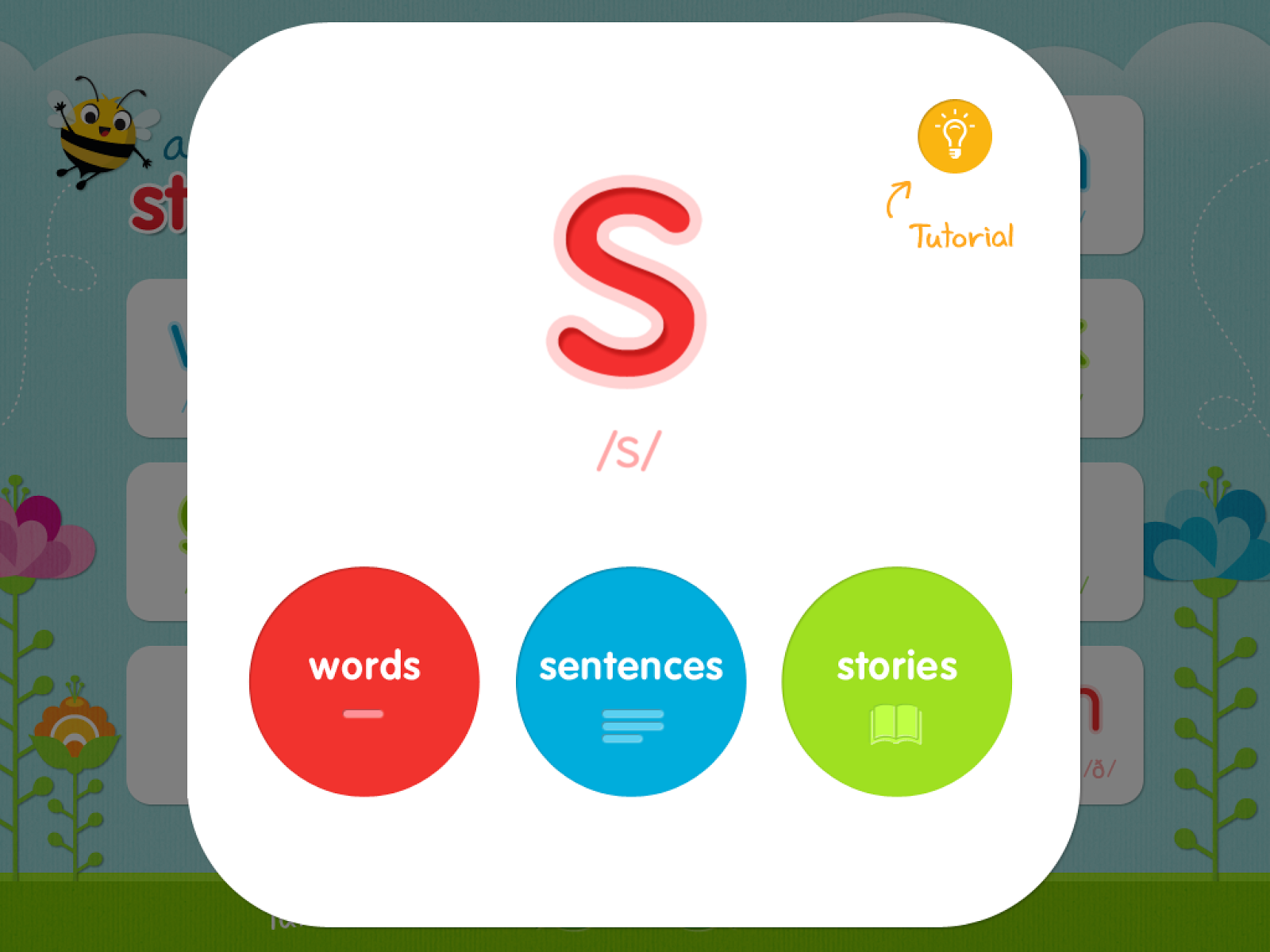
This app can be used on the iPad, iPhone, and iPod touch.  It targets 22 speech sounds at the word, sentence and story levels.  The images in this app are REAL photographs which makes them extremely appealing to my students!  There are also 6 different activities including flashcards, matching, rotating sentences, unique sentences, level 1 stories, and level 2 stories.  There is a great tutorial on the homepage of this app which is extremely helpful.  

Getting started:
First thing you want to do is set up your student's profile (name, age, gender, and notes).  You can also add pictures to the profiles! One great feature on this app is that you have the ability to do a group session rather than just using it with one student only.

Once you have entered the names, its time to pick the speech sound or sounds and activity!    

Words: Flashcards or Matching

You will need to choose the sound position (initial, medial, final, and blends) in the flashcards and matching activities.  Once you have chosen, press begin.  

Under the words feature, you can choose from either flashcards or matching.  I find the flashcards great for drill practice.  My students never get tired of the awesome pictures!  You can also record them practicing the words for instant feedback. 

Pictured above is the matching activity.  I have my students take turns or play together as a group.  Each time  a student turns a card over, he/she practices the word.  Another great feature is the auditory feedback.  Students can listen to the word and also record themselves saying it.  They always get a kick out of hearing their own voices!  As seen on the right side, the green check is for correct responses and the red "x" is for incorrect responses.  This app keeps track of all data for each of your students which is so beneficial when it comes to tracking progress.

Unique or Rotating Sentences
 The rotating sentences include three or more target words per sentences with picture prompts.  My students love pressing the "spin" button to change the last word of the sentence.  Just like the words activity, you can track correct and incorrect responses as well as record.
Each unique sentence also includes three or more target words.  This activity is perfect for readers and great for sentence recall.  

Stories

 Level 1 features silly sentences loaded with target words.  The picture prompts are an added bonus.  After reading through the sentences, you will see three comprehension questions.
 Level 2 is for your more advanced readers.  Each story includes multiple target words and ends with comprehension questions.  Both levels are perfect for working on reading comprehension.
Under the settings option, you have the ability to add custom images, change scoring options, sort by syllables and more.

Lastly, you have the ability to save, print, and e-mail all data.  I hope you found this review helpful and useful.  Be sure to head over to Little Bee Speech's website for more information on Articulation Station Pro.  You can try this app for FREE (P sound only) or purchase the Pro version (ALL sounds) directly from the iTunes store.  

The people at Little Bee Speech are so generous that they have given me not ONE, not TWO, but THREE codes to giveaway for Articulation Station Pro!!!  Enter Below!!!  The winners will be chosen on Thursday May 16th!!!!

Hope you all enjoy!!
Kristine
Live Love Speech


a Rafflecopter giveaway

Tuesday, May 7, 2013

Apraxia Ville App Review


Apraxia Ville by Smarty Ears Review

I’d like to start by giving a HUGE thank you to the company Smarty Ears for giving me the opportunity to review one of their AMAZING apps.  Apraxia Ville is the newest app from Smarty Ears.  If you are an SLP working with students with apraxia and severe speech-sound disorders, this app is a must have.  There is a great video tutorial on the website!

This app has multiple levels, vowel and consonant targets, and the ability to create custom words.  Apraxia Ville provides video modeling of consonants and vowels, word targets by syllable structure (CV, VC & CVC), customization of targets, and data collection.

One of my favorite features of this app is being able to customize words and images.  Teachers/SLPs can import pictures that are relevant to the student such as classmates, teachers, family members, etc.  After images are added, the target words can be recorded and will be saved to the word list.

Awesome features of this app:

Single or multi-player use (up to 4 players)
Can re-visit the session if the student has used the app before
Multiple students can work on different targets during the same session
Three areas/levels: The Sounds Window (sound production), The Farm House (single word production), and The Words Farm (multiple word production).
Visual and verbal stimuli
Easy to read data
Results can be printed/e-mailed or uploaded to The Therapy Report Center
Homework pages

How to use this app:

First, you will add players and choose avatars to represent each one.  Next, depending on what your student or group of students are working on, you will choose one of the activities below.

The Sounds Window
This activity is perfect for students working on sounds and syllables.  I love that there are animations in each window for that instant visual feedback.  You can also listen to the sound by tapping on the child.  Another huge bonus is that students can access the iPad camera to monitor themselves. 

The Farm House
This can be used for students working at the single-syllable word level (CV, VC, and CVC).  You can choose by sound groups, vowels, and syllable structure.


The Words Farm
This is great for students that need to practice multi-syllabic words.  This activity is also customizable by the number of syllables, sound groups, and syllable structure.

Once the activity is finished, you can check out all of your students’ data/scores!  The data collection feature is amazing and can be used with multiple students at the same time.  You can switch between students by touching the avatar.  The data collected includes: date of practice, target phoneme, syllable structure level, percent accuracy and number of words attempted.  You can also see an overall percentage.  All the data can be seen in a graph which is perfect for easy monitoring. 


Finally, you can create homework pages for your students!  This is a huge bonus!  All you have to do is select the specific phoneme and syllable structure that you want your student or students to work on and TA DA…Homework pages!

Overall, I highly recommend this amazing app if you have students with apraxia.  The fun graphics and amazing features will not let you or your students down!  You can grab this app at the iTunesStore.  Be sure to head over to the SmartyEars website for more information on Apraxia Ville and to check out all of the other apps they have to offer.

Don’t miss out on the Better Hearing and Speech Sale over at Smarty Ears!!!  Apraxia ville is currently $19.99 (originally $24.99).  All of their apps will be on sale until 5/12/13!  

Hope you all enjoyed this review!!
Kristine
Live Love Speech

Thursday, May 2, 2013

{App Review} Conversation Builder by Mobile Education Store


ConversationBuilder by Mobile Education Store {App Review}


I am so excited to have the opportunity to review ConversationBuilder by Mobile Education Store.  I couldn't wait to use this app with my elementary students.  Many students on my caseload struggle with social skills and pragmatics especially starting and engaging in conversations with their peers.  If you have students with similar goals and areas of struggle, this is certainly a must have app.

This app teaches students to start and build conversations in a variety of social settings (i.e. around town, playground, etc.) using visuals and verbal exchanges.  Students start to learn how to introduce themselves, ask questions, make observations and change the subject of the conversation.

Some awesome features of this app include: 

  • Students record their own voices
  • 160 different conversations
  • Students can initiate or respond to conversations
  • Conversations can be saved and/or e-mailed
  • Student information can be personalized (i.e. name, age, etc.)
  • Personal images can be added
  • AND MORE!
How to use this app:

Students will begin by setting up a user profile (inserting name, age, city, etc.).  Then you have the ability to choose “Conversation Type”.
1 on 1 – 4 Exchange: The student has 4 conversational exchanges with the virtual peer, each taking 2 turns when speaking.
1 on 1 – 8 Exchange: The student has 8 conversational exchanges with the virtual peer, each taking 4 turns when speaking.
Group: Each student takes turns having conversational exchanges with real-life peer.

Next, a specific module can be chosen or you can randomize all available modules (i.e. Animals, Friends Around Town, etc.).  I love that there are different modules to target a variety of social settings.  Once it is all set up, your students can start playing!


I allowed the students in my groups take turns with each other.  Each student takes a look at the picture and listens to the verbal cue (part of the conversation exchange).  The student then chooses which statement or question (as seen on the screen) should come next in the conversation.  If the student makes an incorrect choice, he/she can try again.  The student will verbally record his/her response once the correct answer is chosen.  After the entire conversation has been recorded, the students can play back and hear it all put together!  Of course this was exciting for them to actually hear their own voices.

This app is currently available at the iTunes App Store for the iPhone for $7.99 and the iPad for $19.99.

Overall, I would highly recommend this app for elementary students working on conversation and social skills.  Be sure to head over to MobileEducation Store’s website for more information and to check out their other amazing apps.  You can also click HERE to go directly to the iTunes App Store and grab this app!

Enjoy!
Kristine
Live Love Speech